Templates
Start from working screens.
Three complete example apps live in the repo, built the same way the docs tell
you to build yours — tokens imported once, components copied into src/lib. Clone, run, and gut them for parts.
$ git clone https://github.com/a3tai/mittsu && cd mittsu && npm install
Task tracker 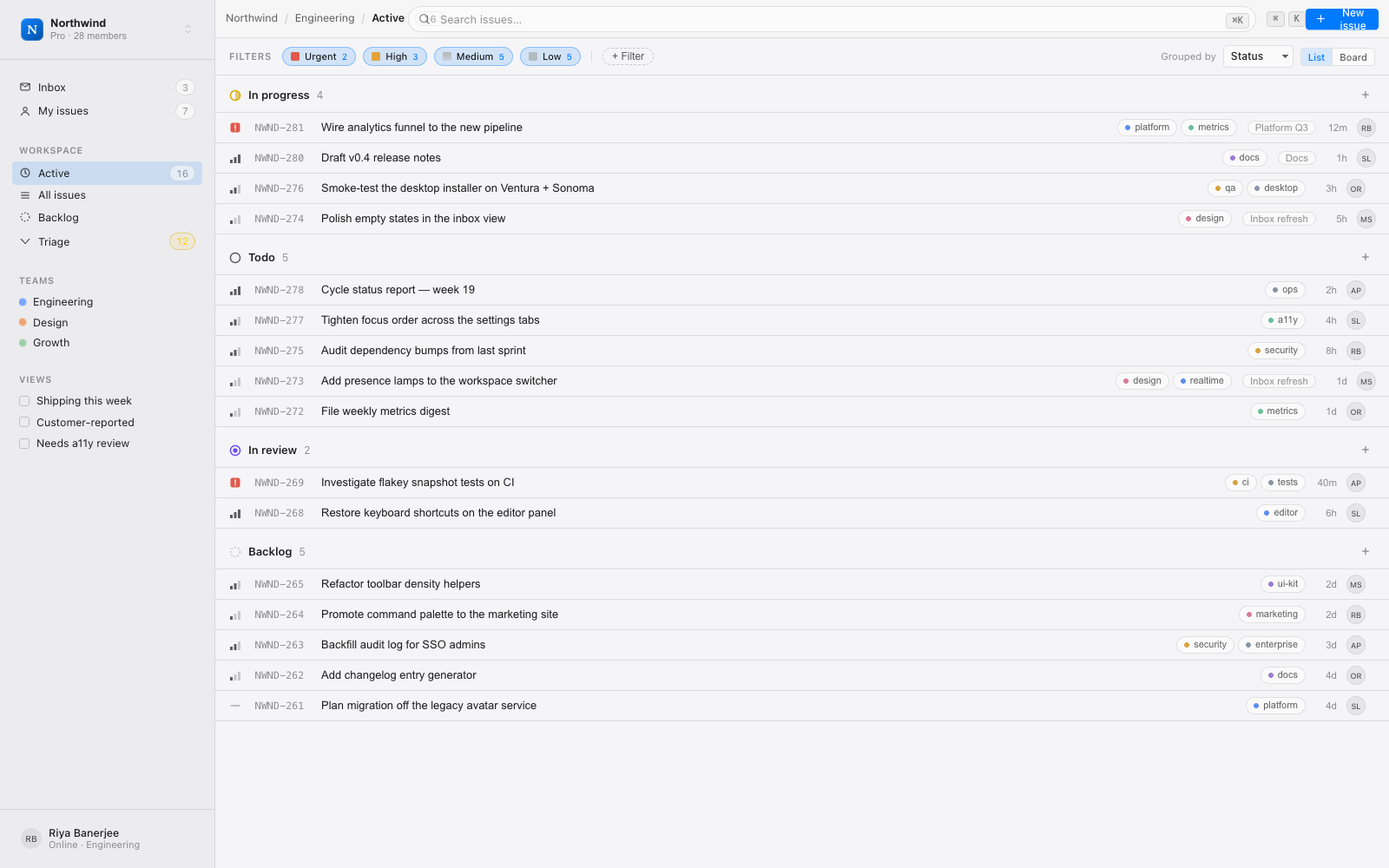
A Linear-flavored issue board
Task tracker
Grouped status lists, priority glyphs, filter chips, a searchable topbar, and a three-pane shell. The densest of the three — a working reference for sidebar navigation, keyboard affordances, and row-based data views.
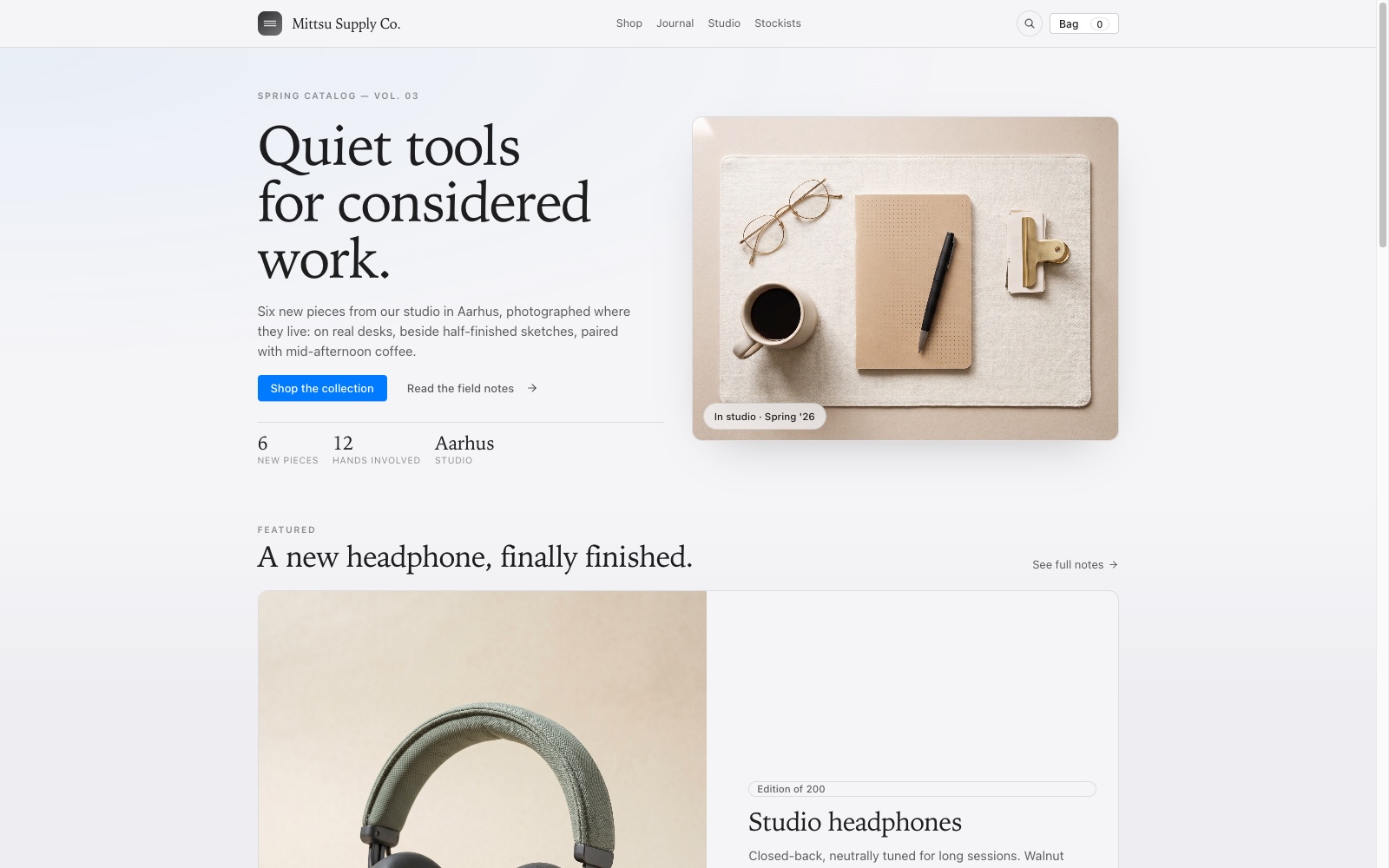
A quiet storefront
Ecommerce
Serif hero, product grid with photography, a slide-over cart sheet, and checkout-ready layout primitives. Shows the kit stretching beyond admin consoles into content-forward commerce.
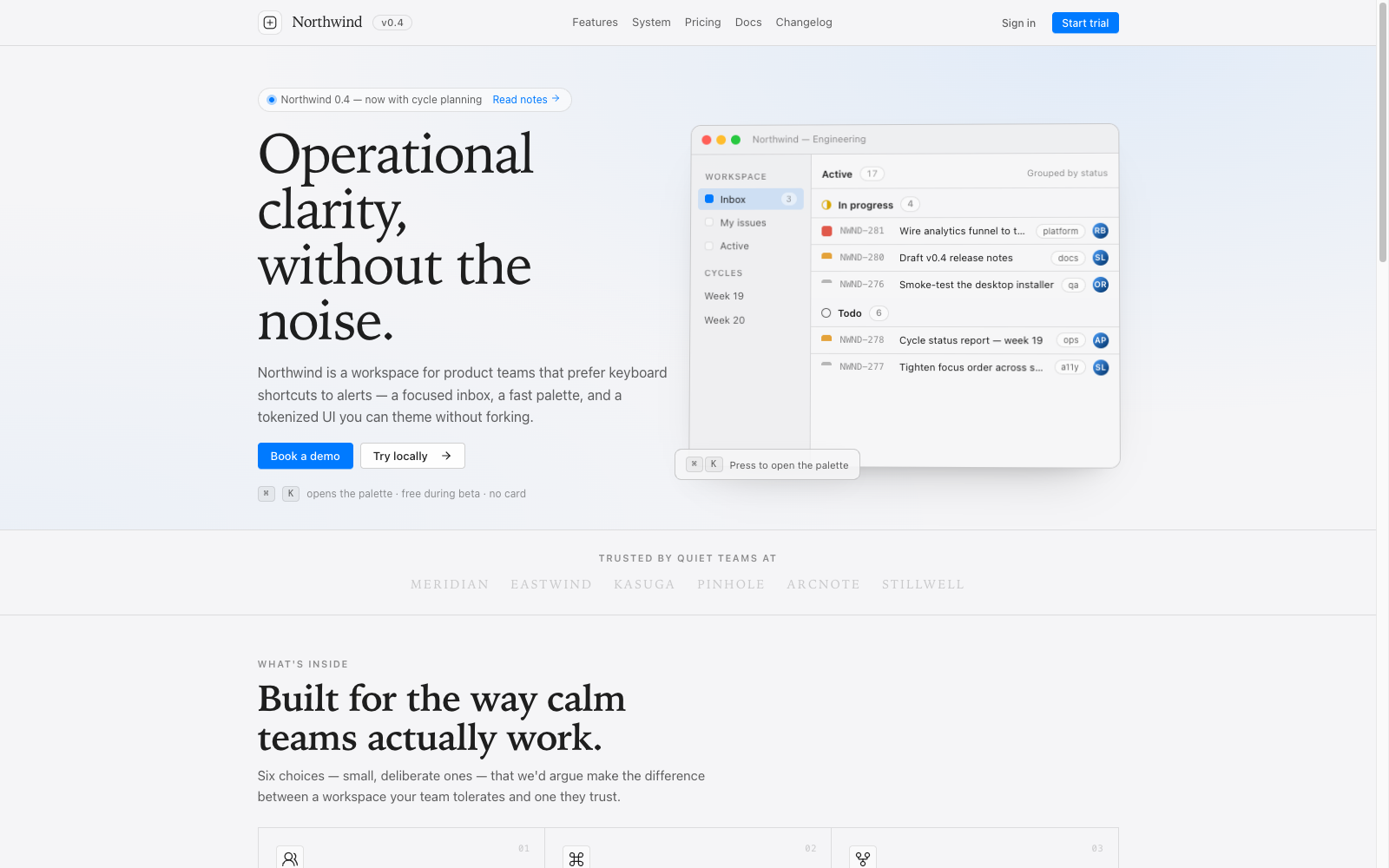
A marketing page in the product voice
SaaS landing
Hero with an embedded product window, logo band, feature grid, and pricing — the same tokens and type ramp as the app it sells, so the marketing surface and product surface read as one thing.
source-first Templates aren't installed through the CLI — they're ordinary workspaces in the
monorepo. Copy whole screens into your app, or use them as a reference for how
the pieces compose. The getting-started guide covers the
from-scratch path.